VAULT Shopify Theme, Elder Care Shopify Theme, Medical Equipment Shopify Theme, Old Age Home Website Theme, Senior Care Store Theme, Healthcare Shopify Theme, Mobility Aids Online Store, Wheelchair St
Create an elderly care, senior support, medical equipment, charity, or nonprofit store with responsive layouts, product carousels, Ajax filters, and custom sections.
Shopify compatibility should be confirmed against the supplied theme package before publishing.
File types
ZIP
Download size
15.0 MB
Tags
charity, elderly care, fundraising, medical supplies, nonprofit, senior care, shopify theme
Overview
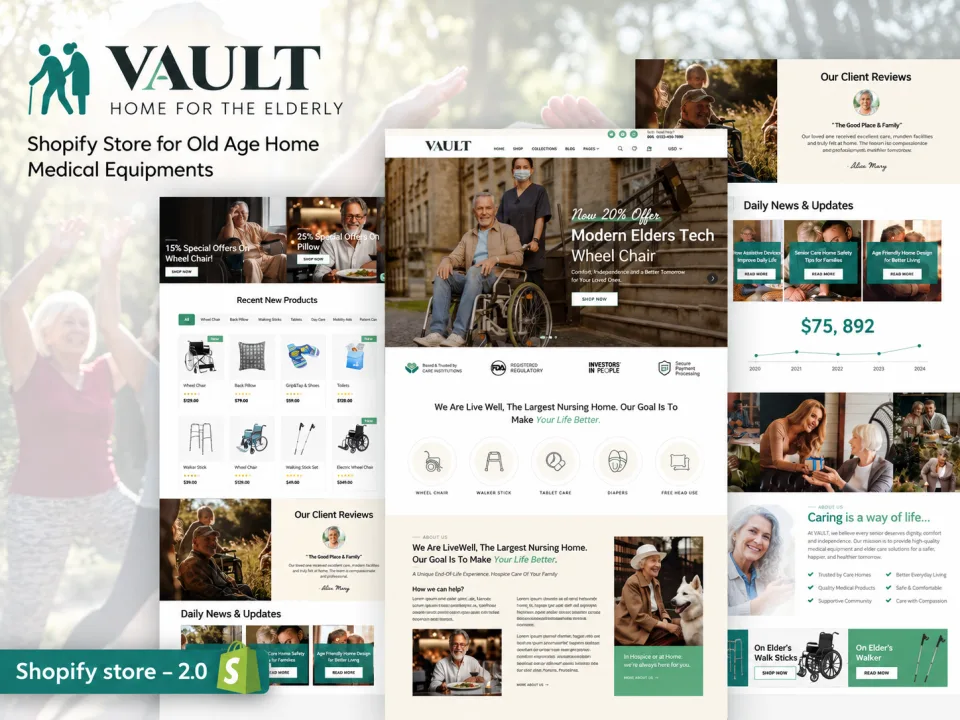
The ZXNOVA Vault Elderly Care & Medical Supplies Shopify Theme is described for senior care products, elderly support, medical equipment, charities, fundraising, and related nonprofit organizations. Its feature list includes responsive design, product carousels, comparison tools, Ajax filters, wishlist and cart features, customizable sections, and multi-currency options.
Key Features
Responsive design
Slick slider and hero carousel
Featured product slider and sale labels
Product carousel and product comparison
Collection sorting and grid/list mode
Customer reviews and customer accounts
Five mega-menu types
Ajax filters, cart, and wishlist
Custom information and About Us sections
Drag-and-drop homepage sections
Customizable colors, fonts, and backgrounds
Multi-currency options listed in source
SEO-oriented product data
Newsletter and social sharing
What’s Included
Shopify theme files (confirm package contents before publishing)
Documentation, if supplied with the original package
Installation Guide
After purchase, download the Shopify theme ZIP from your ZXNOVA Vault order or account page once the downloadable file has been attached to the product.
Log in to your Shopify admin.
Go to Online Store > Themes.
Choose Add theme or the theme upload option, then select Upload ZIP file and choose the theme ZIP.
After the upload finishes, preview and customize the theme before publishing it.
Note: A downloadable theme ZIP must be included with this product. Uploading the listing CSV alone does not provide the theme files. Shopify menu labels can vary slightly by admin version.
Features
Responsive design
Slick slider and hero carousel
Featured product slider and sale labels
Product carousel and product comparison
Collection sorting and grid/list mode
Customer reviews and customer accounts
Five mega-menu types
Ajax filters, cart, and wishlist
Custom information and About Us sections
Drag-and-drop homepage sections
Customizable colors, fonts, and backgrounds
Multi-currency options listed in source
SEO-oriented product data
Newsletter and social sharing
What’s included
Shopify theme files (confirm package contents before publishing)
Documentation, if supplied with the original package
Frequently asked questions
What businesses is this theme designed for?
It is described for elderly care, senior care, medical equipment, charities, fundraising, and nonprofit enterprises.
Can customers compare products?
Product comparison is included in the supplied feature list.
Does it include customer accounts?
Yes. Customer registration, login, address management, and order history are described.
Can I rearrange homepage sections?
The source lists drag-and-drop homepage sections.
Which shopping tools are included?
The listed features include Ajax filters, Ajax cart, wishlist, product carousels, and collection sorting.
How do I install this Shopify theme after purchase?
Download the theme ZIP from your ZXNOVA Vault order/account page after the product files have been attached. In Shopify admin, open Online Store > Themes, choose Add theme or the upload option, upload the ZIP, then preview and customize it before publishing.
Reviews
No reviews for this product yet
Bought it? Your honest review helps other buyers decide.
Only verified buyers can review. After your purchase, open your account → Downloads → “Write a review”.